RenovateIQ
Available on iPhone, iPad & Mac

Your home renovation,
brilliantly organised

Plan tasks, track budgets, manage contractors and document your transformation — all in one app.

6+ Currencies supported
8 Room types
★ 5.0 App Store rating
No account needed Free to start iPhone, iPad & Mac No subscription
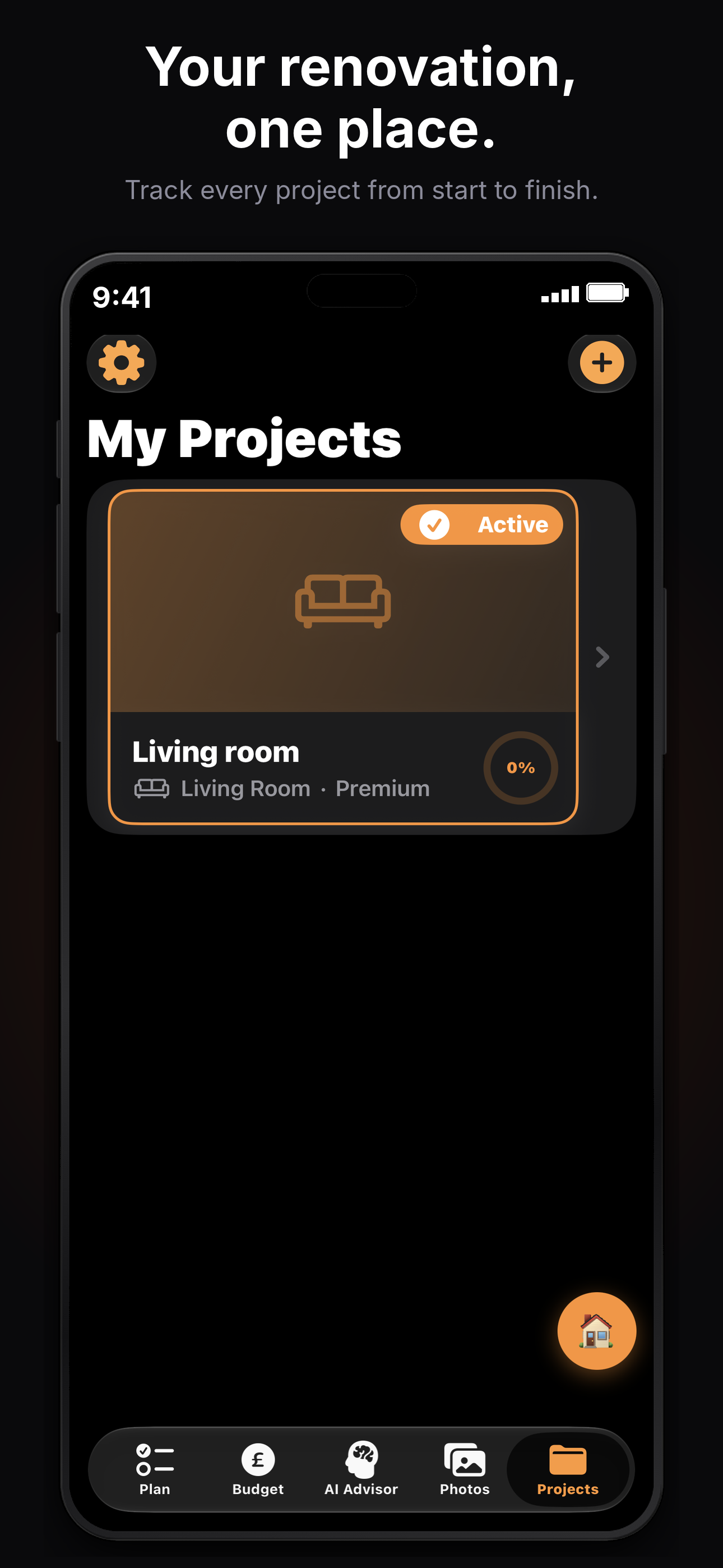
RenovateIQ — My Projects screen
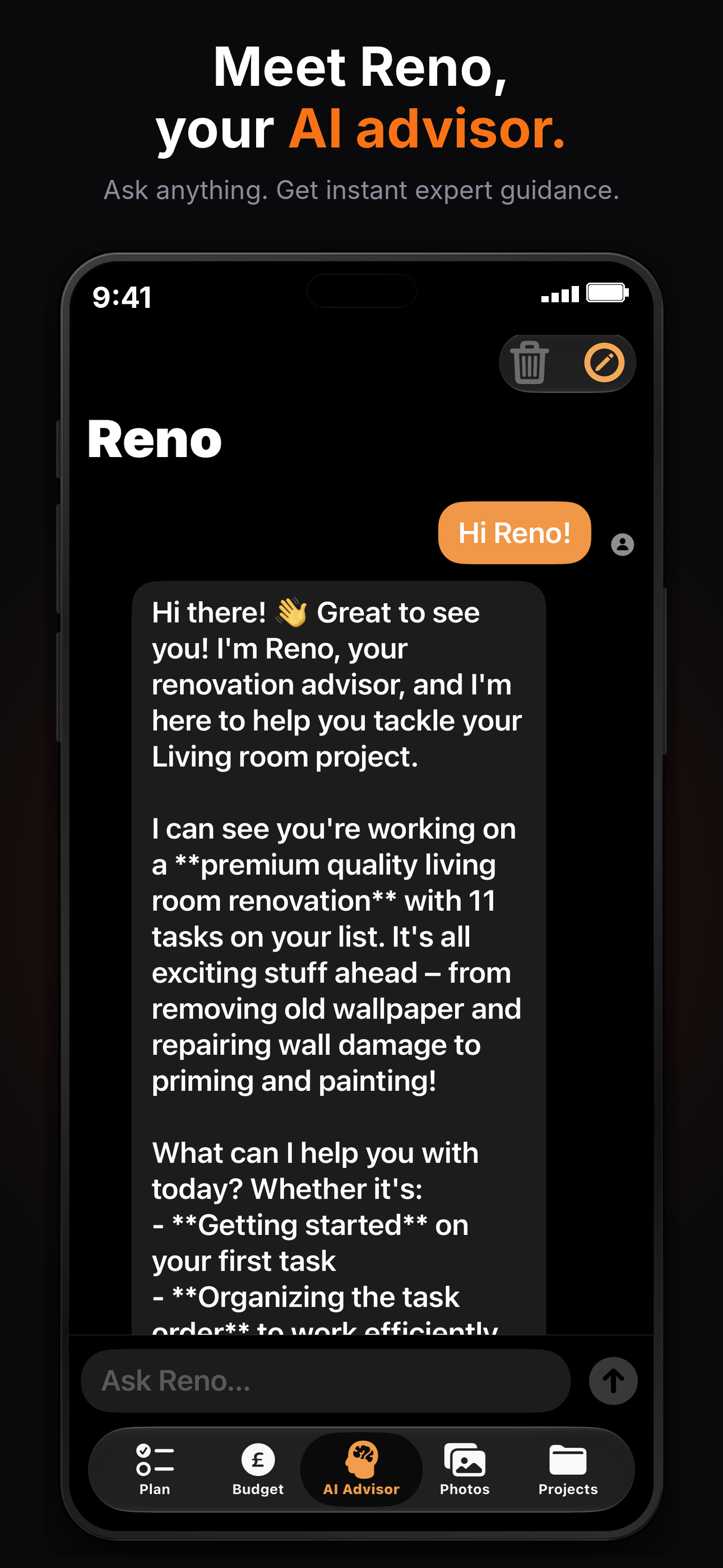
Meet Reno, your AI advisor
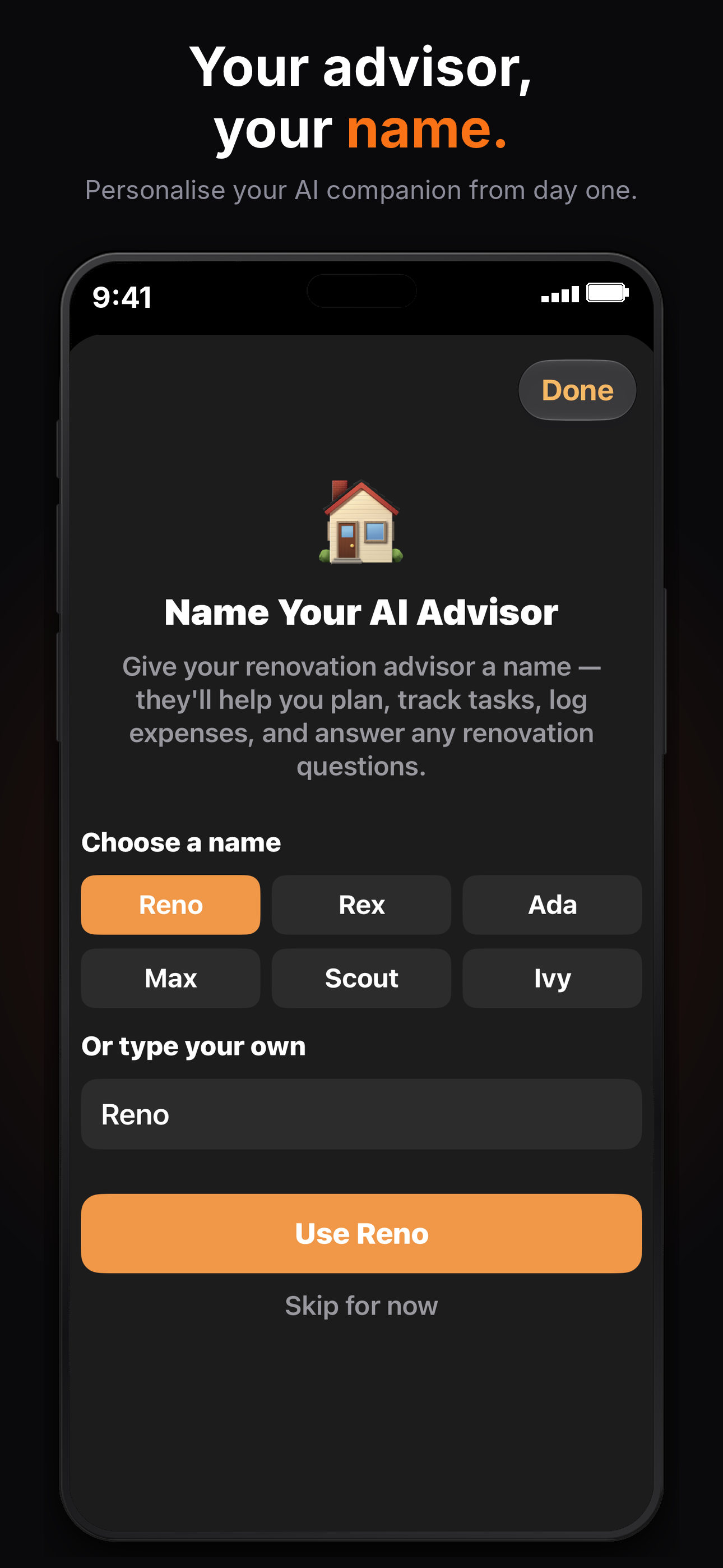
Name your AI advisor
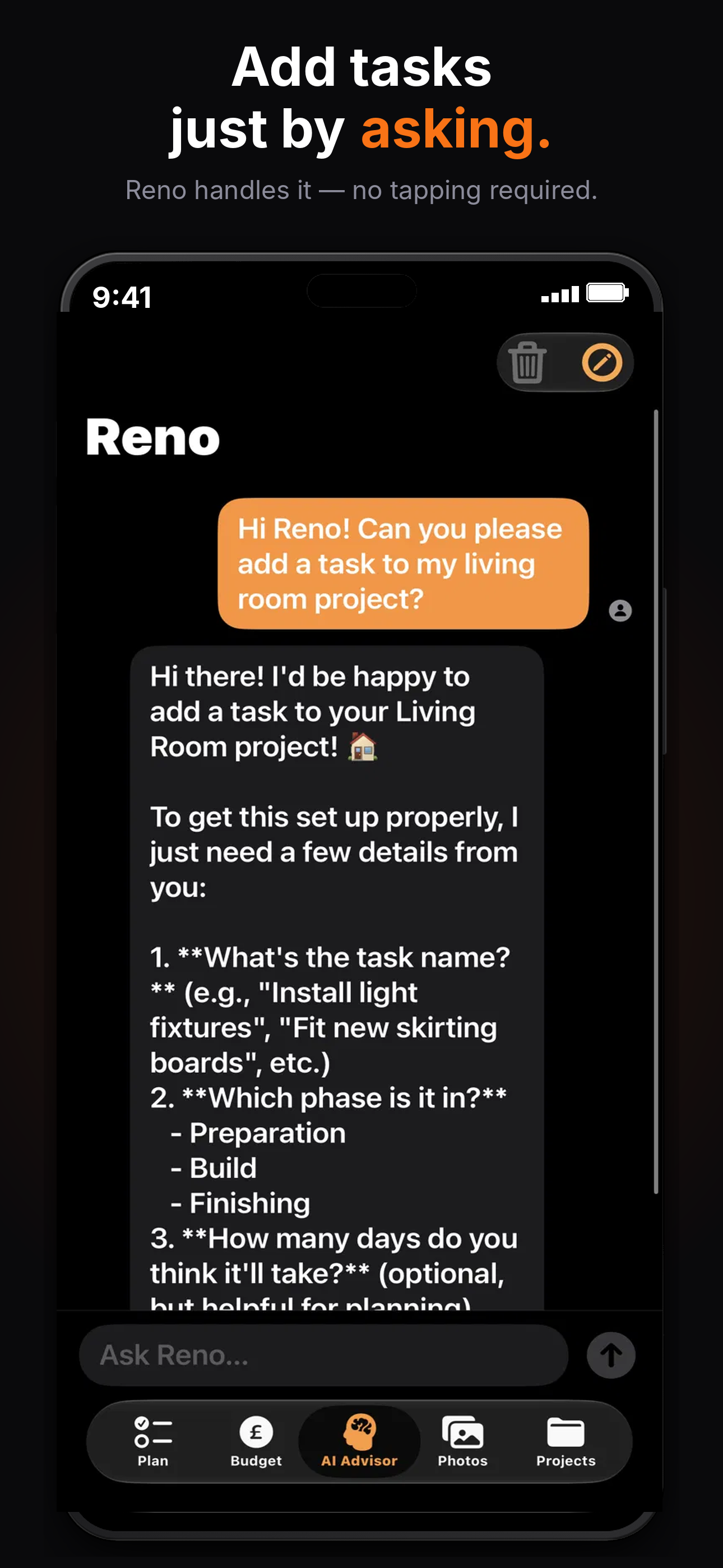
Add tasks just by asking
Document your transformation

Everything you need to renovate smarter

From first inspiration to finished transformation — RenovateIQ covers every step of your journey.

📋
Task Planning
Break your renovation into phases — Preparation, Build and Finishing. Tick off tasks and watch your progress grow.
💰
Budget Tracking
Set your budget, log every expense and compare your spend to market estimates. Multi-currency support included.
📸
Photo Gallery
Save inspiration photos, document before and after shots. Your renovation story captured beautifully.
📅
Timeline View
See your full renovation schedule at a glance. Set your start date and get an estimated completion date.
Pro
🤝
Contractor Notes
Keep all your tradespeople in one place — name, trade, phone, email and notes. Never lose a number again.
Pro
☁️
iCloud Sync
Sync your renovation projects automatically across iPhone, iPad and Mac. Pick up where you left off on any device.
Pro
🤖
AI Advisor — Meet Reno
Your personal renovation advisor, powered by Claude AI. Ask Reno anything about your project and it can mark tasks complete, log expenses and update your budget directly — all in natural conversation.
Pro
Powered by
Claude AI
Anthropic's most capable AI, built right into your renovation project.

Up and running in minutes

No complicated setup. Download, create your project and start planning.

1
Create your project
Choose your room type, name your project and set your budget. Takes less than a minute.
2
Plan your tasks
Create your own checklists and organise them by phase, so you always know what comes next.
3
Track as you go
Log expenses, tick off tasks and add photos as your renovation progresses.
4
Share the result
Export a PDF for your contractor or share your transformation with the world.

Simple, honest pricing

No subscription. No hidden fees. Pay once, own forever.

Free
£0
Forever free
  • ✓ 1 project
  • ✓ Task checklists
  • ✓ Budget tracking
  • ✓ Photo gallery
  • ✓ Weekly notifications
Download Free
Pro
£7.99
One-time purchase · $9.99 USD
  • ✓ Unlimited projects
  • ✓ Everything in Free
  • ✓ iCloud sync across all devices
  • ✓ Contractor notes
  • ✓ Timeline view
  • ✓ PDF export
  • ✓ Share progress
  • ✓ Pro notifications
  • ✓ AI Advisor
Unlock Pro

Renovation tips and guides

Practical advice to help you plan, budget and manage your home renovation.

Frequently asked questions

Is RenovateIQ free? +
RenovateIQ is free to download with no account or login required. The free version includes 1 project, task checklists, budget tracking, photo gallery and weekly notifications. A one-time Pro upgrade (£7.99/$9.99) unlocks unlimited projects, contractor notes, timeline view, PDF export, iCloud sync and the AI Advisor.
What devices does RenovateIQ work on? +
RenovateIQ works on any iPhone or iPad running iOS 17 or later, and on Mac via Mac Catalyst. Your projects sync automatically across all your devices with iCloud.
Do I need an account to use RenovateIQ? +
No account or login is required. Just download the app and start planning your renovation straight away.
How do I plan a home renovation? +
Start by defining your scope and setting a realistic budget — including a 15–20% contingency for unexpected costs. Break the project into phases: preparation, build and finishing. Get at least three quotes from contractors, agree a payment schedule and track every expense as you go.
How do I track my renovation budget? +
Set your total budget before work begins, then log every expense as it happens — contractor invoices, materials, fixtures and delivery charges. RenovateIQ categorises your spending so you can see exactly where the money is going.
How do I find reliable tradespeople? +
Always get a minimum of three quotes and ask for references from recent similar projects. Check that tradespeople are registered with the relevant bodies — Gas Safe for gas work, NICEIC or NAPIT for electrical work. Review their ratings on Checkatrade or Trustpilot and never pay the full amount upfront.
Are you a contractor?
RenovateIQ Business
Keep clients updated in real time, manage projects and ditch the "how's it going?" calls. £9.99/$12.99 per month.
Learn more →

Ready to renovate smarter?

Download RenovateIQ free today. No account needed.

Download on the App Store